Get AI Search & Fill with Viddyoze Pro
Type what you’re making. We’ll match a template, write the copy, and populate the visuals – automatically.
Start our free trial and get instant access to AI Search & Fill feature, along with full Pro access including over 3000 high quality motion graphics templates for 7 days. Cancel any time.
Smarter template discovery:
AI suggests templates that fit your topic and visual style.
Instant content fill:
Titles, subtitles, and other text fields pre-written for your message.
Image auto-population:
Images are pulled using smart search keywords, aligned to your topic.
From idea to editable video in minutes
Describe your video
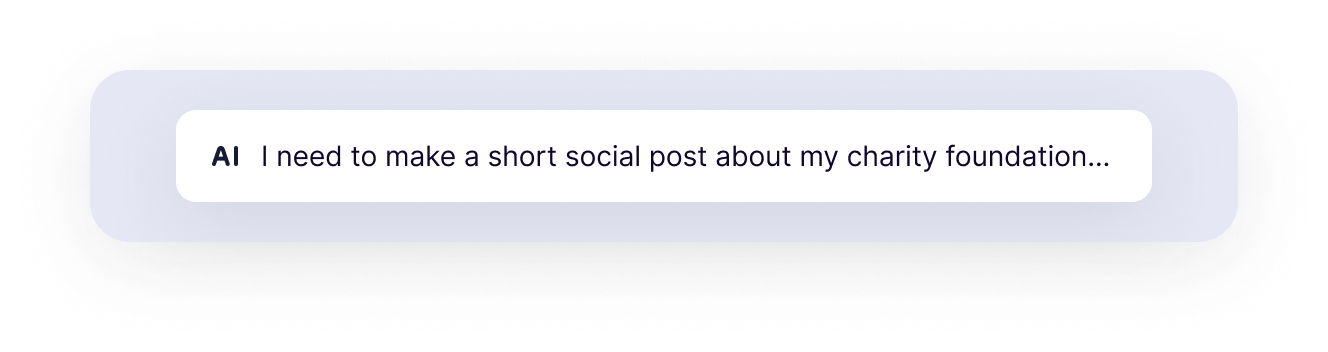
Prompt example chips:
“I’m need a social post about my special offer at my vegan cafe called Green Haven Bistro. We’ll make any smoothie a superfood glow smoothie at no extra cost”
“Podcast promo for an episode about productivity”
“Black Friday template showcase (no discounts mentioned)”
Pick the best match
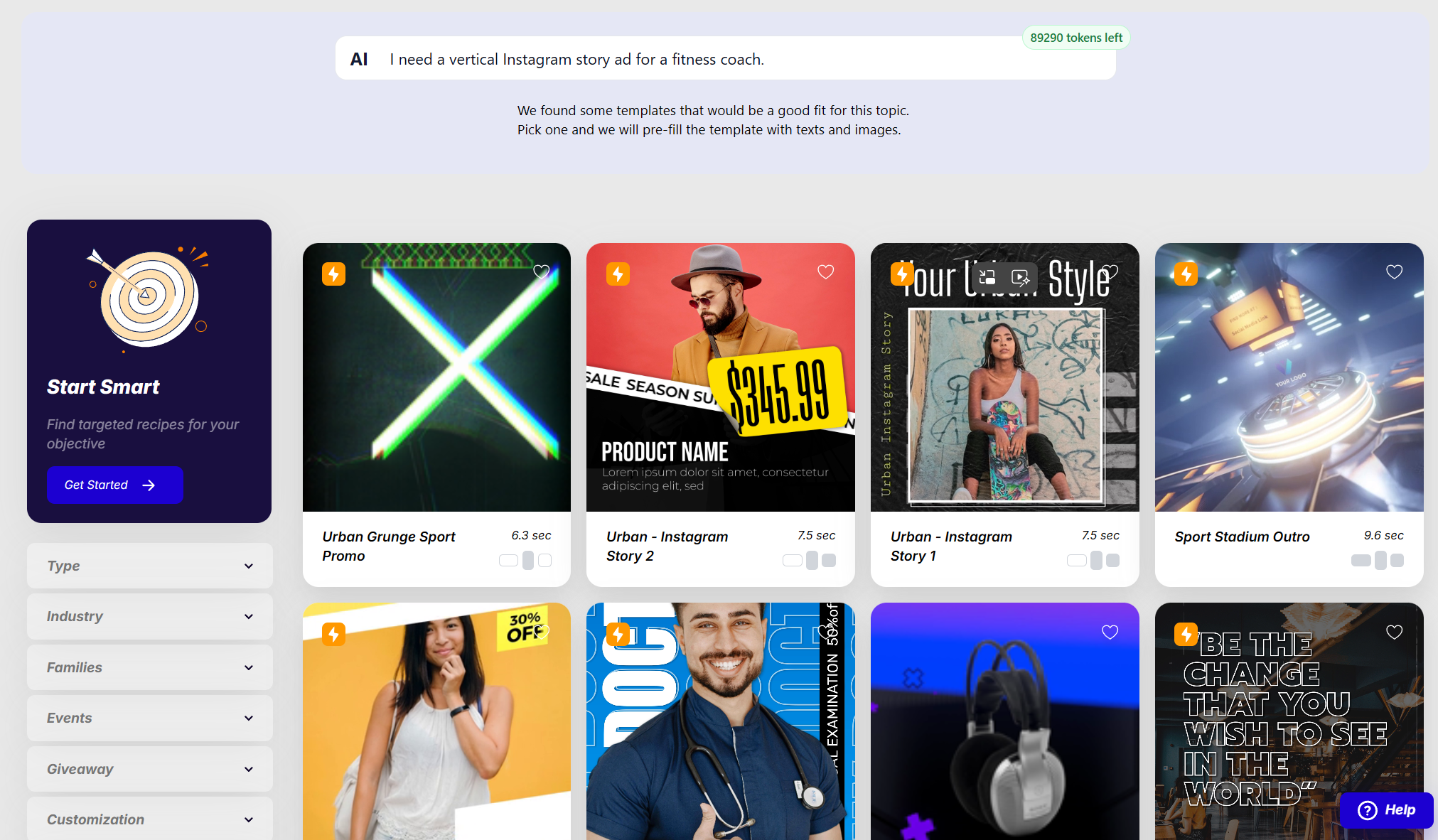
AI recommends templates that visually fit the topic (clean, retro, minimal, stylish, urban, etc.).
We fill everything for you
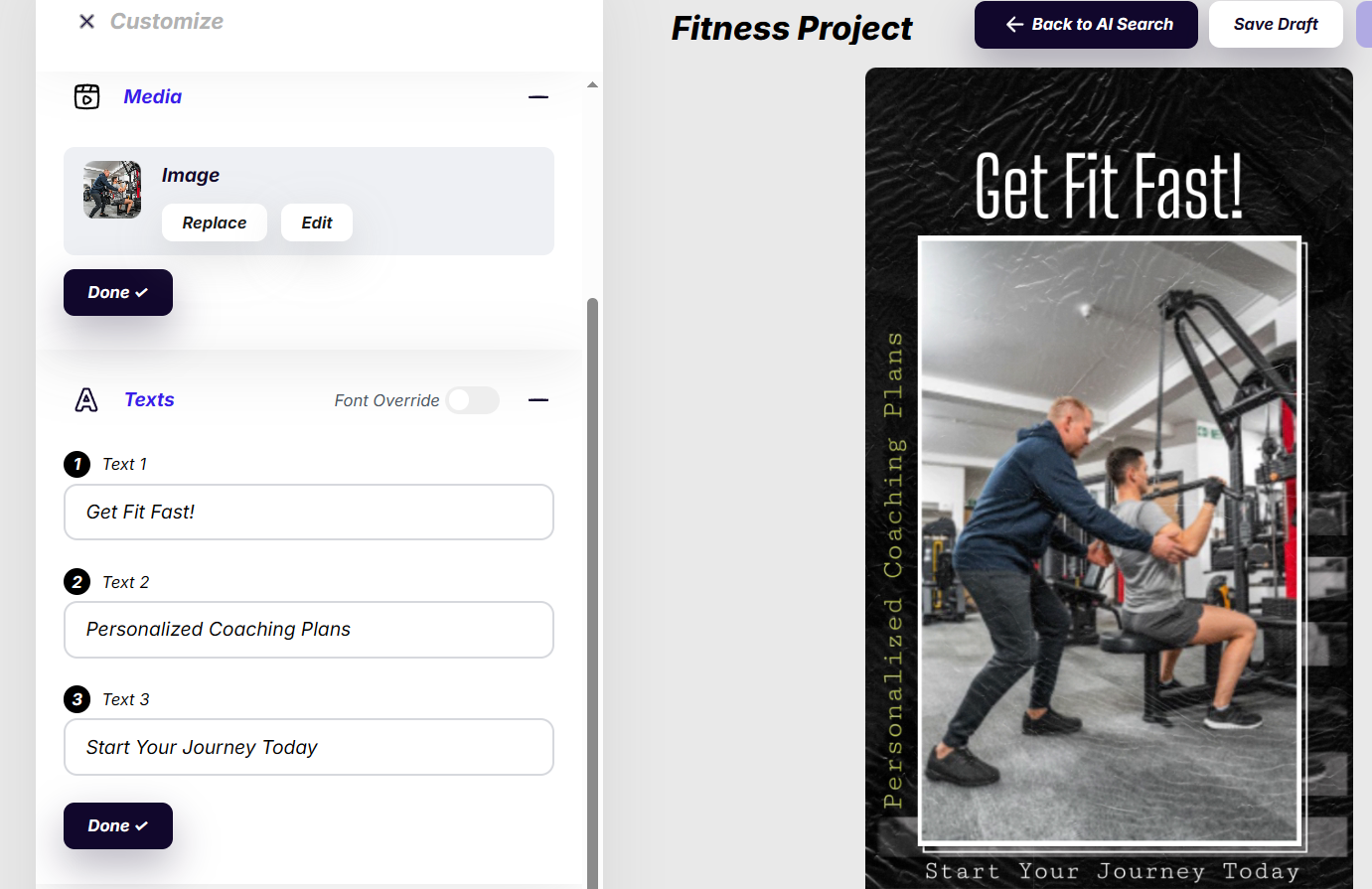
Text fields are pre-written and images are automatically selected – then you can tweak anything before rendering.
Get free 7-days Pro trial and get instant access to AI Search & Fill along with over 3000 motion graphics templates included in Pro:
See it in action
What AI Search & Fill does for you

Find the right template faster
Stop browsing endlessly. Get a shortlist that actually fits your topic and vibe.

Pre-filled texts and images with sense
AI writes text appropriate for your use case (promo, announcement, sale, event, service, etc.) and generates the right search keywords pulling relevant images to populate the design instantly.

Still fully editable
You remain in control – edit text, swap images, adjust timing, then render as usual.
Prompt in any language. Render in any language.
Write your prompt in your preferred language. You can also explicitly tell the AI what language to use for the final video text – English, French, Spanish, German, anything you need.
Who it’s for?

✔️ Marketers making promos weekly
✔️ Agencies producing variations for clients
✔️ Small businesses needing “good enough fast”
✔️ Creators repurposing content into short videos
Included in Pro
AI Search & Fill is available to Pro and Free Trial users only.

No-Risk, All Reward: Your Satisfaction Guaranteed
30-Day Money-Back Guarantee for new Pro subscribers
If you’re new to Viddyoze, purchase Viddyoze Pro with complete confidence. If at any point within the first 30 days you decide that Viddyoze Pro isn’t the right fit for your needs, simply contact us for a full refund. No hassle, no stress — we stand behind our product.
You remain in full control of your subscription. There are no hidden fees or long-term commitments. Cancel whenever you choose and keep full access until the end of your billing period. Our goal is to make sure Viddyoze Pro delivers real value for your video creation workflow.
FAQ
Q: Do I lose control of the design?
No—AI gives you a starting draft. You can edit everything before rendering.
Q: Can I change the suggested images?
Yes. Replace any image, upload your own or search for appropriate one on Pexels or Pixabay. AI is just trying to speed you up on your journey. Some images are just background fillers, others are very important for relaying your message.
Q: Can I prompt in English and output in German (or vice versa)?
Yes. Prompt in any language, then specify the final video language. If you don’t specify, AI will assume you want your post in the language in which you wrote your request.
Q: Is this available on all templates?
It works best on templates with standard text/image placeholders. It’s up to AI to suggest some templates over the others, keeping in mind their visual style, number of text and image inputs. This ultimatelly means some templates will be suggested more often than others.
Q: How reliable is the AI?