Every Viddyoze template so far has had a fixed layout: a set number of text fields, each with its own place and length. That’s great when your message fits the template, and frustrating when it doesn’t.
Today we’re introducing AI templates, a new kind of video template in Nova. You write your message the way you’d say it, and the AI turns it into a finished animated video. It splits your text into scenes, decides what to highlight, turns lists into numbered points and numbers into big stats, and picks the transitions, all within the template’s own design.
How it works
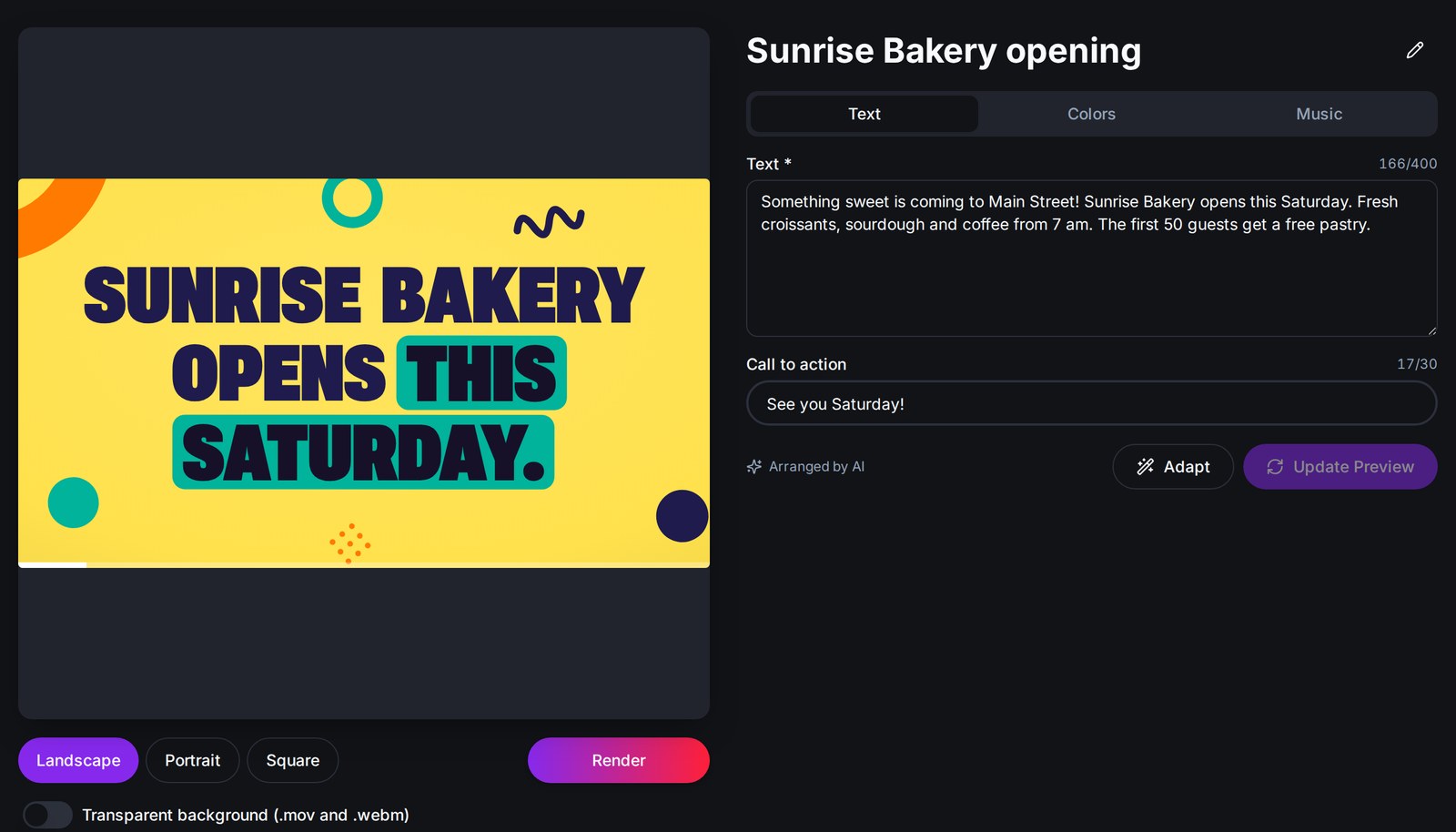
Open an AI template and you’ll see a live preview on the left and a few tabs on the right:
- Text: write your message (up to 400 characters) and, if you like, a call to action.
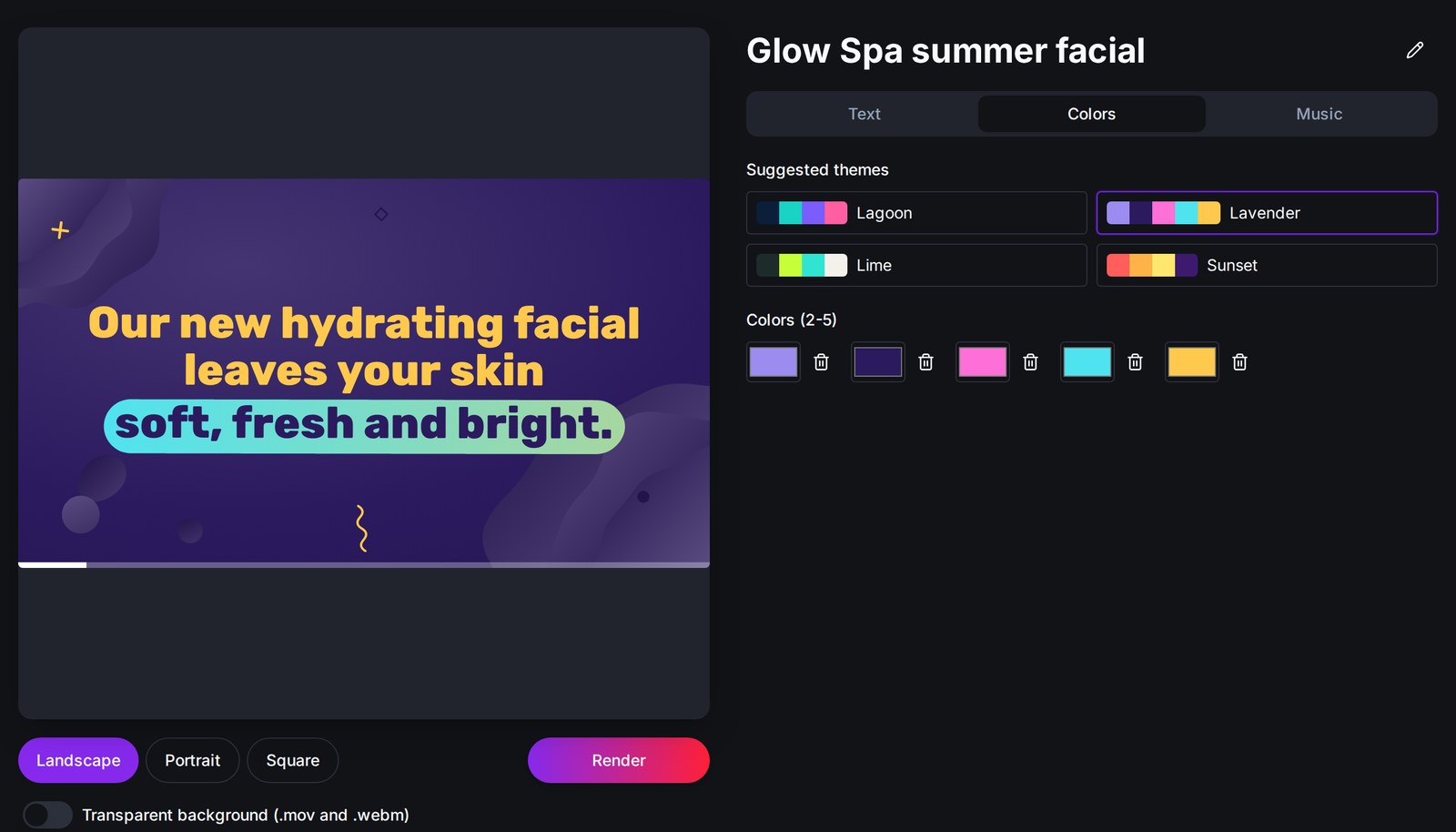
- Colors: pick one of the suggested themes or use your own brand colors. The preview changes instantly.
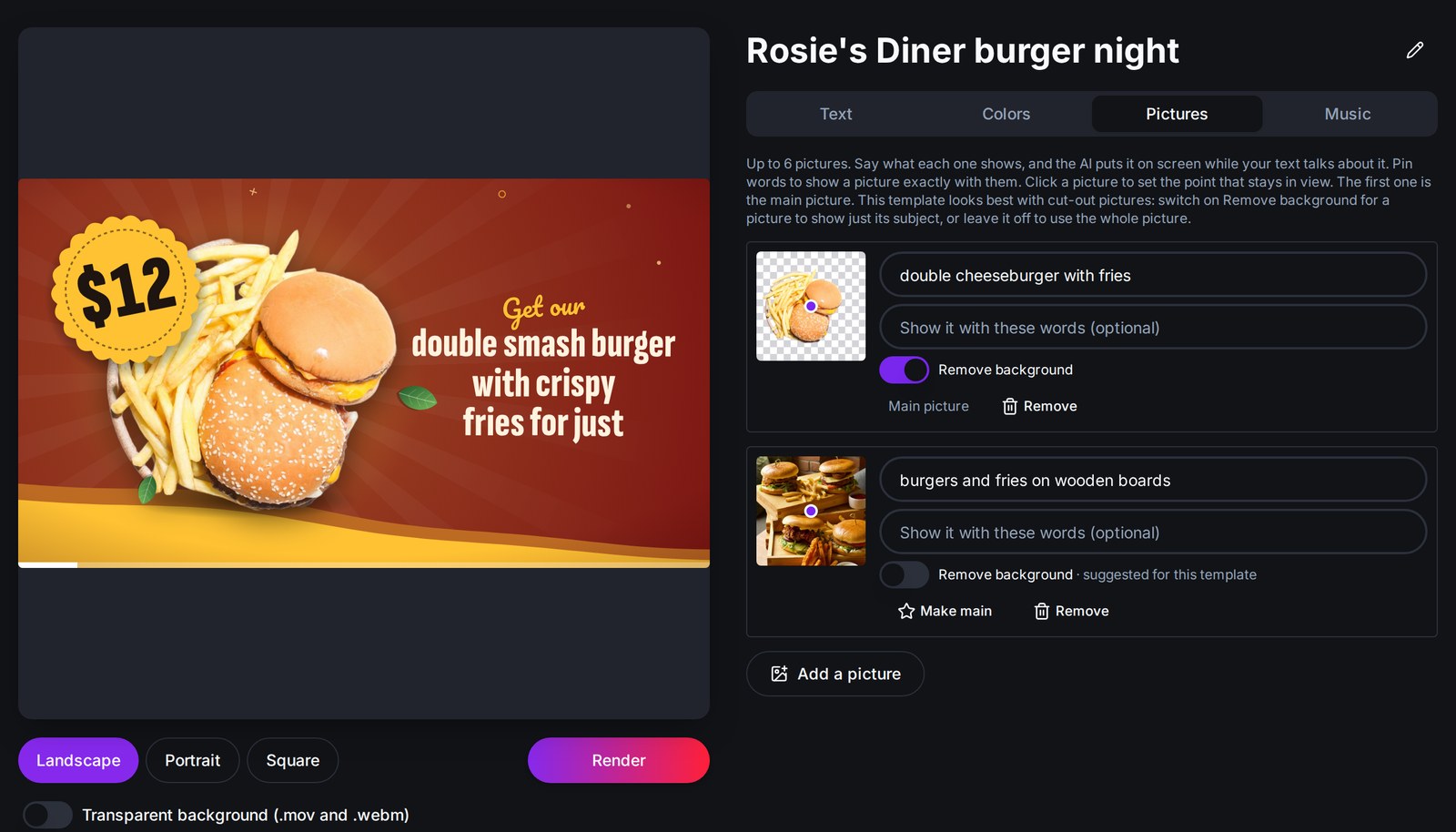
- Pictures (in templates that use them): add your photos and say in a few words what each one shows. The AI puts each picture on screen when your text talks about it.
- Music: every template comes with music that matches its mood, and the video is timed to end exactly with it.
When your text is ready, click Update Preview. A few seconds later your new video plays right there in the editor. The AI only works when you click the button, so nothing is used up while you’re still typing.
One video, three formats
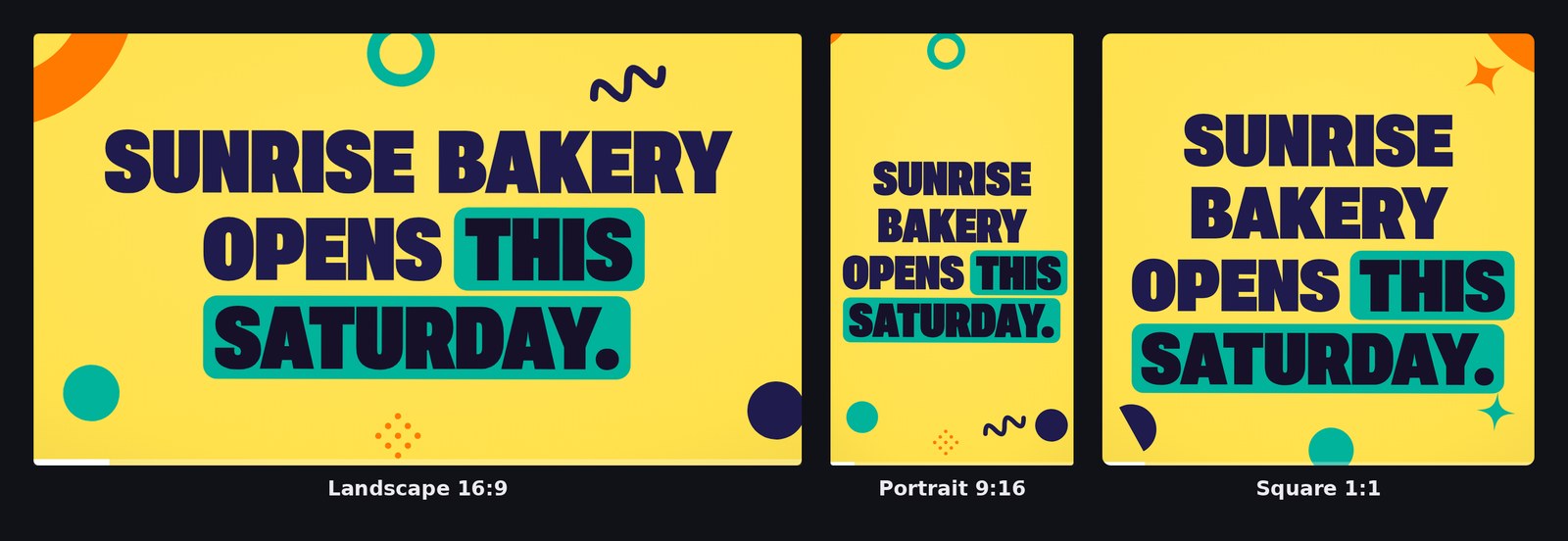
Landscape for YouTube, portrait for Reels, TikTok and Stories, square for the feed. Switch between Landscape, Portrait and Square under the preview, and the same video re-flows to fit, instantly. There’s nothing to redo.
Text too long? Let the AI adapt it
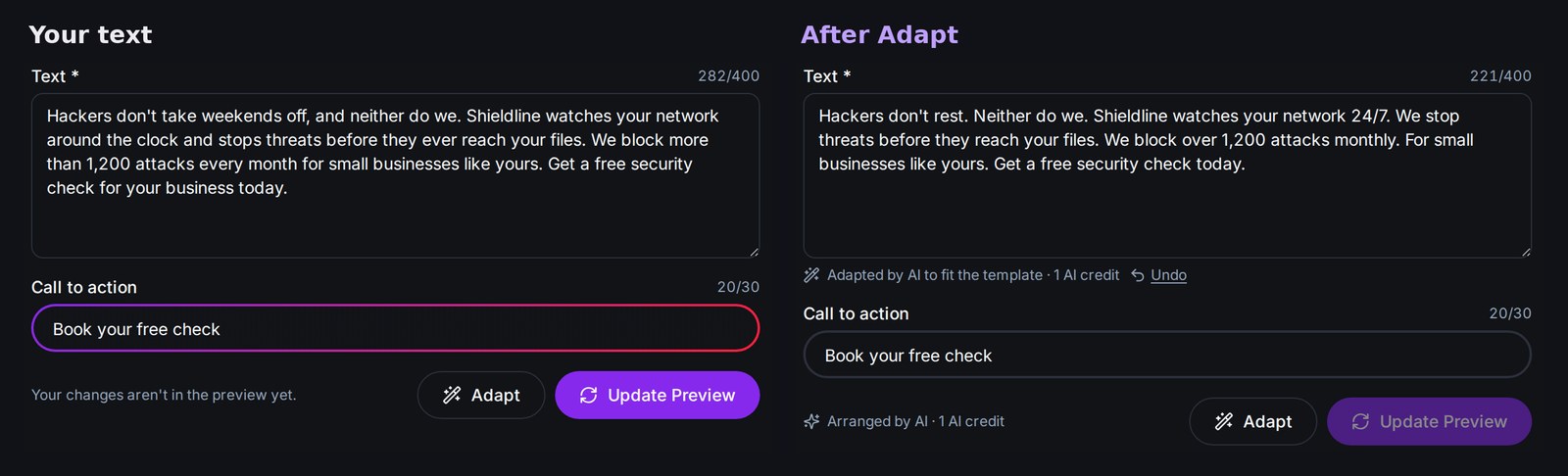
Long sentences can look crowded on screen. Click Adapt and the AI rewrites your text in short lines that fit the template, keeping your names, numbers, prices and links exactly as you typed them. Prefer your own words? Undo brings them right back.
Meet the first six AI templates
Each example below was made from a few sentences of text and a color theme. Urban Grunge, Chef’s Special and Parallax Slideshow also use a few photos.
Pop Type
Bold, colorful typography with playful shapes. Key words get highlight boxes, lists become numbered points and numbers turn into big stats.
Best for:
- Sales and special offers
- Openings and announcements
- Social media posts
Cyber HUD
A sci-fi heads-up display in dark tones, with glowing panels, scanning lines, terminal text and glitch transitions.
Best for:
- Tech and IT services
- Cybersecurity
- Gaming and apps
Liquid Type
Smooth liquid shapes that merge, drip and wash from one scene to the next, with clean, modern type and soft gradients.
Best for:
- Beauty and wellness
- Lifestyle brands
- Product launches
Urban Grunge
Spray paint, rough textures and torn paper on a city wall. Add your photos and they’re pasted onto the wall as posters.
Best for:
- Streetwear and sneakers
- Music and events
- Bold brand promos
Chef’s Special
Made for restaurants and special offers: big bold titles, handwritten touches and prices that stand out. Turn on Remove background for a photo and your dish appears cut out and floating. Leave it off and the photo is shown whole, in a shape of its own.
Best for:
- Restaurants and cafés
- Daily specials and menus
- Food delivery offers
Parallax Slideshow
Your photos as a slideshow with depth. Each picture fills the screen and is split into rings around its focus point that zoom at different speeds, so it moves in 3D. Every slide gets a label over the picture: a title on a color bar, with a short description under it.
Best for:
- Travel and tourism
- Real estate and venues
- Event recaps and portfolios
Need a transparent background?
Switch on Transparent background before you render, and you’ll get your video as a .mov (ProRes 4444) and a .webm, ready to place on top of your own footage.
Availability
AI templates are available now in Nova for all Pro users. Arranging and adapting your text uses AI credits from your plan’s monthly allowance, usually just one per update.
Log in, open an AI template and type your first message. We can’t wait to see what you make. Not on Pro yet? Now’s a great time to upgrade.